In today’s fast-paced world, many of us spend a significant portion of our lives working at a desk or in front of a computer. While we focus on meeting deadlines and achieving our professional goals, we often overlook the importance of ergonomics in the workplace. In this blog post, we’ll explore the critical role ergonomics plays in promoting health and safety at work and provide you with practical tips to create a healthier and safer workspace.
Understanding Ergonomics
Ergonomics is the science of designing the workplace to fit the worker, rather than forcing the worker to adapt to the workplace. It involves optimizing the environment to reduce physical and mental stress, ultimately enhancing productivity and well-being.
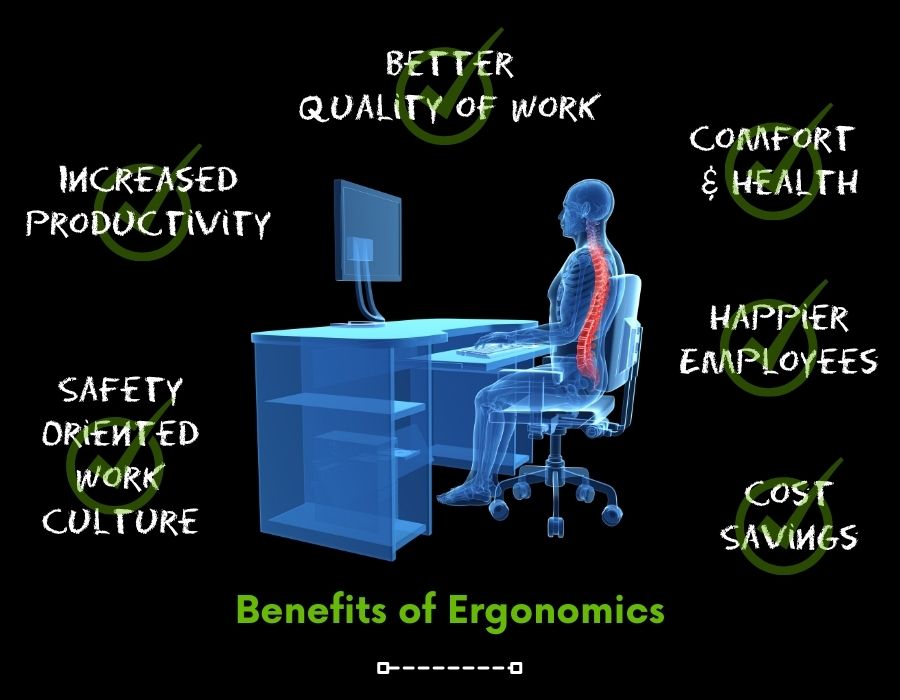
The Benefits of Ergonomics
Reduced Risk of Musculoskeletal Disorders (MSDs): Ergonomic workspaces are designed to minimize the risk of conditions such as carpal tunnel syndrome, lower back pain, and neck strain, which can result from prolonged, uncomfortable postures.
Improved Productivity: When employees are comfortable and free from discomfort or pain, they are more likely to stay focused and maintain higher levels of productivity throughout the day.
Enhanced Mental Well-being: Ergonomics isn’t just about physical comfort; it also considers factors like lighting, noise levels, and workspace organization. These elements can positively impact mental health by reducing stress and enhancing overall job satisfaction.
Practical Tips for a Healthier and Safer Workspace
Adjust Your Chair: Ensure your chair provides adequate lumbar support, and adjust the height so that your feet are flat on the floor and your knees are at a 90-degree angle. Armrests should support your arms without causing shoulder strain.
Optimize Your Desk Setup: Your desk height should allow your wrists to remain straight while typing, and your monitor should be at eye level to reduce neck strain.
Keyboard and Mouse Positioning: Keep your keyboard and mouse close enough to avoid overreaching. Consider using a keyboard tray to achieve the ideal positioning.
Take Regular Breaks: Stand up, stretch, and walk around for a few minutes every hour. This can help alleviate the strain caused by prolonged sitting.
Use Ergonomic Accessories: Invest in ergonomic accessories like an adjustable monitor stand, an ergonomic chair cushion, or an ergonomic keyboard and mouse if needed.
Proper Lighting: Ensure your workspace is well-lit to reduce eye strain. Use task lighting to illuminate your work area.
Organize Your Workspace: Keep your workspace clutter-free to reduce distractions and stress. Use cable organizers to prevent tripping hazards.
Stay Hydrated and Eat Well: Proper nutrition and hydration are essential for overall health and energy levels. Maintain a balanced diet and drink enough water throughout the day.
Mind Your Posture: Be mindful of your posture throughout the day. Sit up straight, and avoid slouching or hunching over your desk.
Conclusion
Prioritizing ergonomics in your workplace can have a profound impact on your health, safety, and overall job satisfaction. By making small adjustments to your workspace and habits, you can significantly reduce the risk of work-related injuries and discomfort. Remember that investing in your health and safety at work not only benefits you but also contributes to a more productive and happier work environment.